


Requirements:
Go language must be installed in your kali machine
If it’s not installed, then install it by following the commands
apt-get install golang-go
Now let’s install subfinder
Step 1: run this command in your terminal
go install -v github.com/projectdiscovery/subfinder/v2/cmd/subfinder@latest
or you can install it by using this simple command
apt get install subfinder
Step 2: Now check if subfinder is installed or not using this command
subfinder
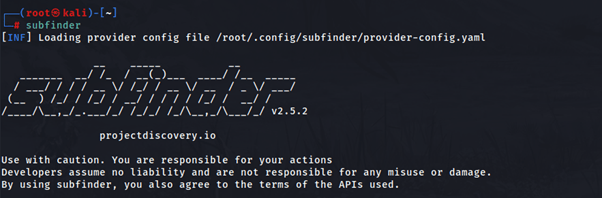
Subfinder is successfully installed in your machine
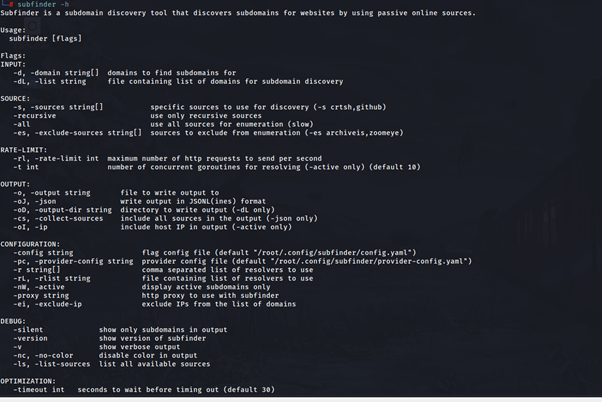
Step 3: Now there are various flags that are available in subfinder. So, you will have to enter subfinder -h command to see other flags
Step 4: Now choose one target URL on that you want to find subdomains
For example, I’m choosing Starbucks as a target
After choosing the target enter this command to find subdomains of Starbucks
subfinder -d starbucks.com
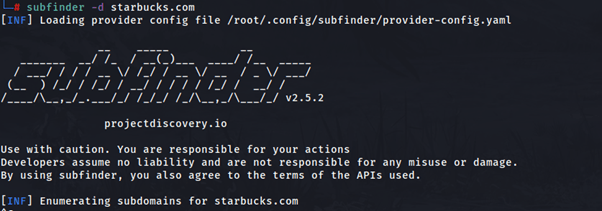

As you can see subfinder found 4113 subdomains of Starbucks
We can save this subdomains in text file using the -o flag
subfinder -d starbucks.com -o starbucks.txt
 Dhaval's Tech Blogs